Which interfaces do industrial keyboards use?
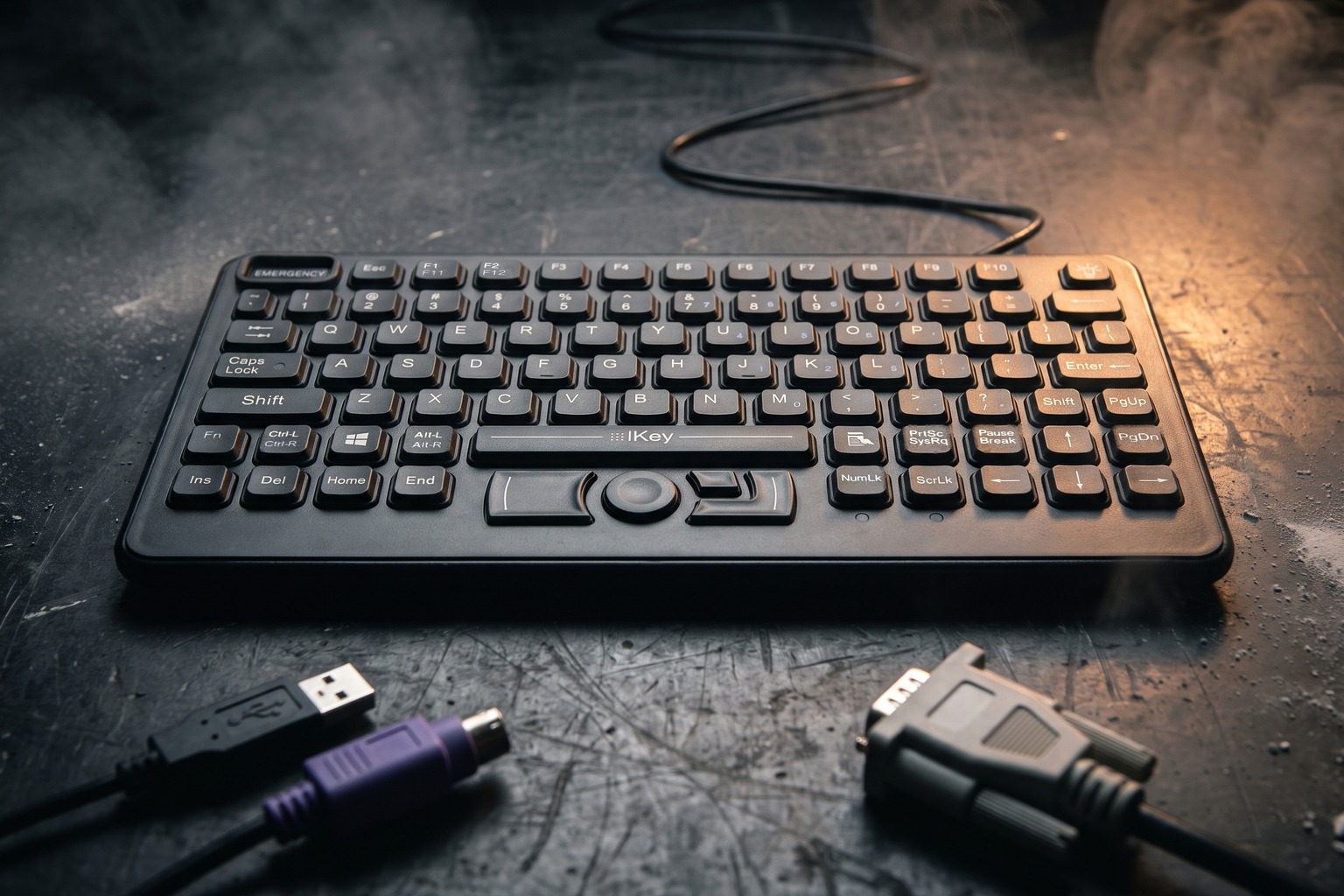
Three interfaces cover almost every industrial keyboard: USB, PS/2 and serial. A fourth, wireless, is covered in wireless keyboards in hospitals and factories. The right choice is set by the host, not by preference. If the controller only has a PS/2 port, a USB keyboard will not connect unless you add an adapter that suits the specific device.
| Interface | Connector | Driver | Hot-plug | Typical use | Status |
|---|---|---|---|---|---|
| USB (HID) | USB Type A, sealed variants | Not needed for standard keyboards | Yes | PCs, panel PCs, new controllers | Default |
| PS/2 | Six-pin mini-DIN | Not needed | Not designed for it | Older controllers, servers, KVM switches | Legacy |
| Serial RS-232 | Nine-pin D-sub or similar | Host software for protocol | Not designed for it | Specialist systems, data-entry integration | Niche |
| Keyboard wedge | Inline device, USB or PS/2 | Not needed | Depends on host | Adds serial or scanner data as key presses | Niche |
What is a USB HID keyboard?
A USB keyboard identifies itself to the host as a Human Interface Device (HID). The HID class is built into mainstream operating systems, so a standard keyboard works without a vendor driver. It supports hot-plugging, so you can connect or disconnect it with the host running. USB also provides power from the host, which removes the need for a separate supply.
Where a keyboard has extra features such as programmable keys, backlight control or a built-in pointing device, the basic typing function still works through the HID class, and the extras may need utility software. If the host is an embedded or real-time system, confirm that it supports USB HID keyboards at all, and check whether the boot-time BIOS or firmware recognises the keyboard before the operating system loads.
Why does PS/2 persist in industrial and KVM kit?
PS/2 is a legacy interface that uses a six-pin mini-DIN connector, with separate ports for the keyboard and mouse. It survives for practical reasons:
- Older industrial controllers, servers and machine firmware were designed around it, and replacing the host to gain USB costs far more than the keyboard.
- Many KVM switches and rack consoles still have PS/2 ports.
- PS/2 is interrupt-driven and does not depend on a USB stack loading, so it can be more predictable at boot on legacy systems.
The disadvantages are real. PS/2 was not designed for hot-plugging, so connect it with the host powered down. It carries only a keyboard or a mouse on each port, and modern computers rarely provide it. For new designs, specify USB. Specify PS/2 only when you must match an existing host, and keep a spare. Our industrial keyboards category includes interface options.
Are there serial RS-232 keyboards?
Yes, but they are specialist products. A serial keyboard sends key codes over an RS-232 link instead of the keyboard protocol, and the host needs software to interpret them. They appear in legacy automation, point-of-sale and some data-entry systems. Cable length for RS-232 is commonly given as about 15 metres at standard baud rates, though it depends on baud rate and cable quality. If you need one, tell the supplier the baud rate, data format, handshaking and the connector gender.
A keyboard wedge is a related device that sits between a keyboard and the host and injects data from another source, such as a serial instrument or scanner, as if it were typed. It is useful where a machine outputs data but has no keyboard interface.
How long can the cable be?
Cable length is limited by the interface, and exceeding it causes unreliable operation that is hard to diagnose.
- USB 2.0: a single segment is limited to about 5 metres for full-speed devices and about 3 metres for low-speed devices. Many keyboards are low-speed. Active extension cables or hubs allow longer runs by regenerating the signal.
- PS/2: the interface was designed for short cables, and long runs often fail. Use a PS/2 extension designed for the purpose, and test at the real length.
- RS-232: commonly stated as about 15 metres at standard baud rates, shorter at higher rates.
If the keyboard is mounted far from the host, as in a panel or a gantry, use a remote extender or a panel PC near the keyboard rather than pushing the limits of the cable. State the cable length when you request a quote.
Which connectors are sealed?
A sealed keyboard can lose its IP rating at the connector. Options include a connector with a sealing gland or a moulded cable, a screw-locking circular connector, a cap that covers an unused port, or a panel-mount interface that keeps the connector behind the panel. Confirm with the supplier that the stated IP rating applies to the keyboard with its cable and connector in the mated condition, as explained in IP ratings explained. For panel installations, see panel mount keyboard installation, and for OEM designs see OEM modules.
What about hazardous areas?
In a classified hazardous area the interface cannot be chosen from the catalogue. A keyboard must carry a certification for the zone, and the cable, the connector and any interface equipment must be part of that certified arrangement. Often this means the keyboard is connected through a certified barrier or interface unit installed in a safe area. A standard USB or PS/2 keyboard is not suitable, however well sealed it is.
Read hazardous area keyboards under ATEX, UKEX and IECEx, then how to read an Ex marking and intrinsically safe vs non-incendive. Follow the certificate and the manufacturer’s installation instructions exactly.
How do you choose an interface?
- Identify the port on the host. If it only has PS/2, specify PS/2. If it has USB, specify USB.
- Check the cable length between the keyboard and the host, and plan an extension if it exceeds the limit.
- Decide whether the keyboard needs hot-plugging. If so, choose USB.
- Confirm that the connector is sealed to the same level as the keyboard.
- In a hazardous area, start from the certificate.
- Keep a spare, and keep the adapter and cable part references on file.
What to check on the datasheet
- Interface type and connector, including whether the connector is sealed.
- Cable length, and whether it is fixed or detachable.
- Operating system support, for embedded and non-standard hosts.
- Boot-time compatibility with the host BIOS or firmware.
- Power draw from the host, especially for backlit keyboards or those with a pointing device.
- Whether the IP rating includes the cable and connector.
- Any certification for use with associated apparatus in hazardous areas.
For the full specification process, see the industrial keyboard buying guide.
Sources and standards
- USB Implementers Forum, Universal Serial Bus Specification, Revision 2.0
- USB Implementers Forum, Device Class Definition for Human Interface Devices (HID)
- TIA/EIA-232-F, Interface between Data Terminal Equipment and Data Circuit-Terminating Equipment Employing Serial Binary Data Interchange
- Dangerous Substances and Explosive Atmospheres Regulations 2002 (DSEAR), Schedules 2 and 3
Related guides and ranges
- Industrial keyboard buying guide for UK buyers
- Keyboards for hazardous areas: zones, ATEX, UKEX and IECEx explained
- Wireless keyboards in hospitals and factories
- Sealed industrial keyboards for factories and workshops
- OEM keyboards and keyboard modules
Frequently asked questions
Do industrial keyboards need drivers?
Usually not. Standard USB keyboards use the Human Interface Device class, which mainstream operating systems support natively. Drivers or utilities are needed only for extras such as programmable keys, custom macros or firmware updates. Check the datasheet for operating system support if the host is an embedded or real-time system.
Why do industrial machines still use PS/2?
Because older controllers, servers, KVM switches and machine firmware were built around it, and replacing them costs far more than a keyboard. PS/2 is interrupt-driven and does not depend on a USB stack being loaded, which also helps at boot time. It remains a legacy interface, not a recommended choice for new designs.
Can I hot-plug a PS/2 keyboard?
Not safely as a rule. PS/2 was not designed for hot-plugging, and connecting or disconnecting with the host powered can cause the device to be missed or, in poorly designed hardware, cause damage. Power down, connect, then restart the host. USB is the interface designed for hot-plug use.
How long can a USB keyboard cable be?
The USB 2.0 specification limits a single cable segment to about 5 metres for full-speed devices, and 3 metres for low-speed devices such as many keyboards. Longer runs need an active USB extension or hub, or a USB extension over another medium. Check the datasheet for the tested cable length.
Can I use a USB keyboard in a hazardous area?
Only if the keyboard and its interface are certified for the zone. A standard USB keyboard or cable is not suitable for an explosive atmosphere. Certified equipment may need an associated barrier or interface unit between the keyboard and the host. Follow the certificate and the installation instructions.
Is there a serial RS-232 industrial keyboard?
Yes. Serial keyboards and keyboard wedge devices exist, mainly for specialist systems, legacy automation and data-entry integration. They are less common than USB and PS/2. If you need one, state the baud rate, the data format and the required connector to the supplier.